HerStoryDigital

YOUR PLANNER. YOUR TIMELINE.
A planner that starts when you do
integrates with Apple and Google Calendar
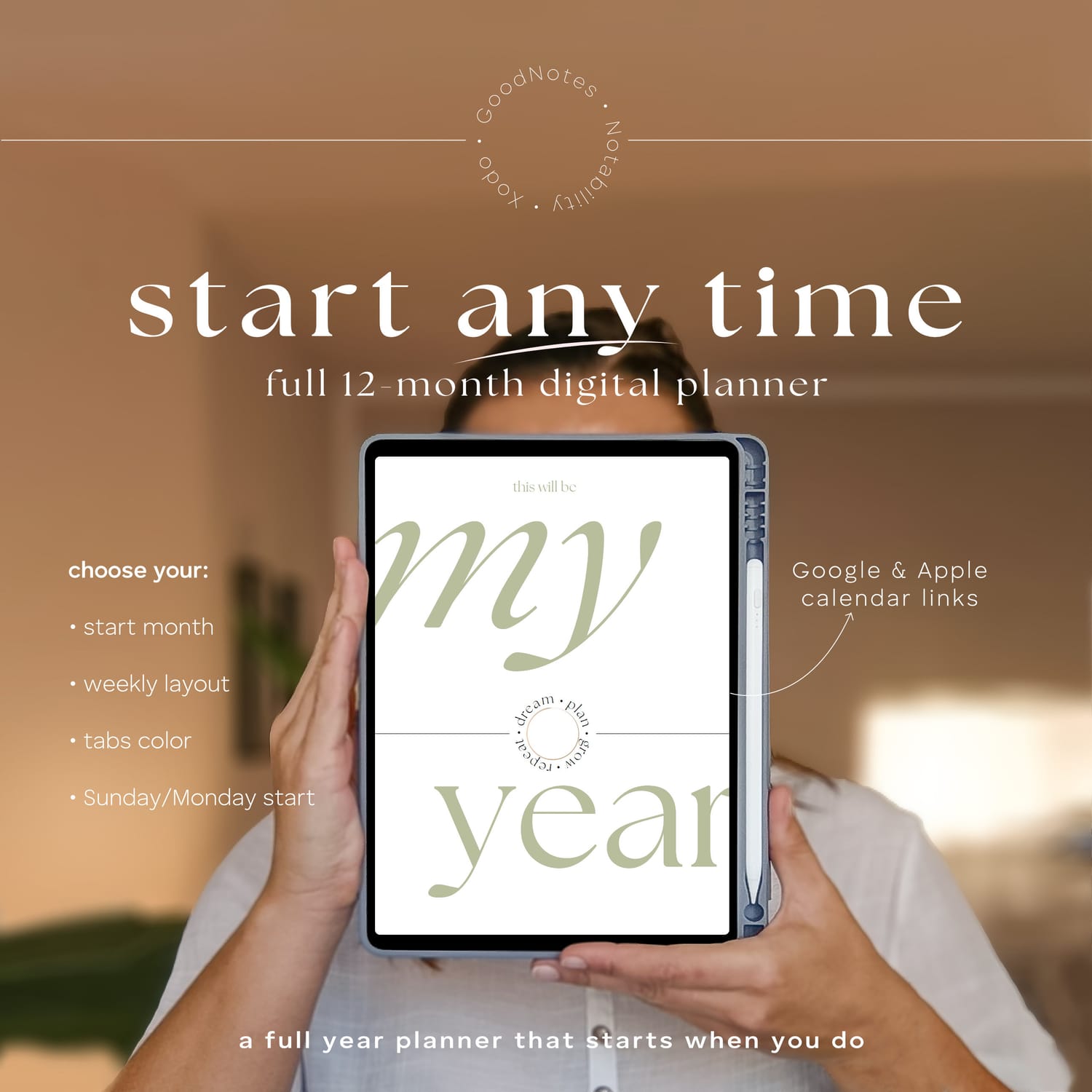
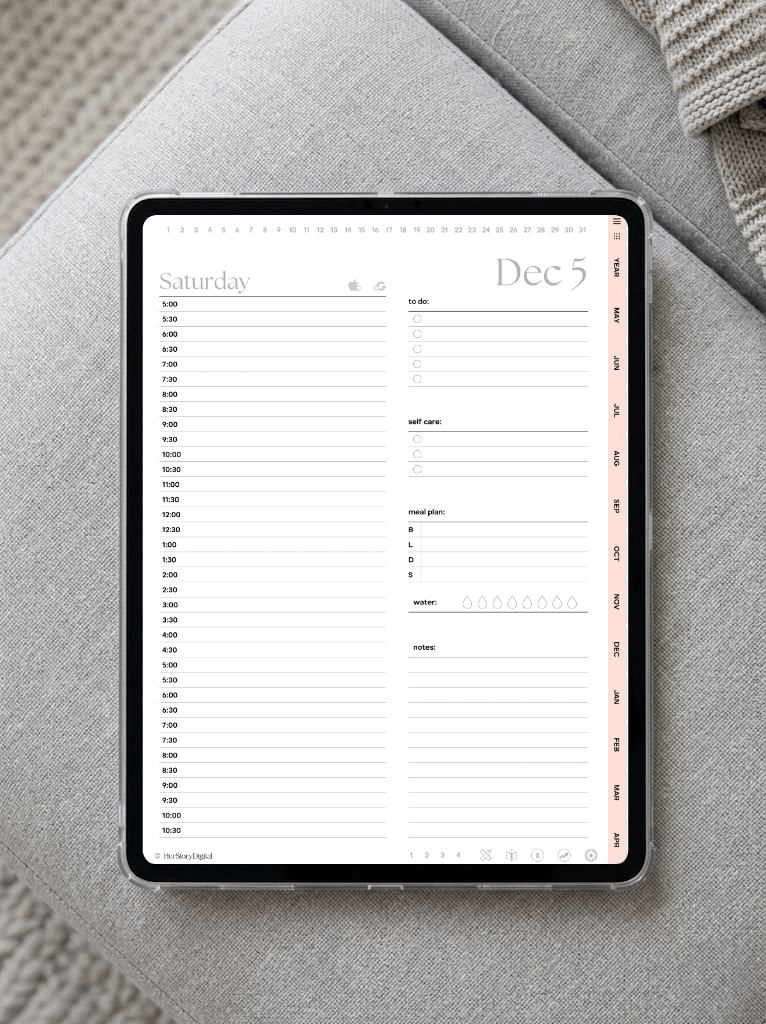
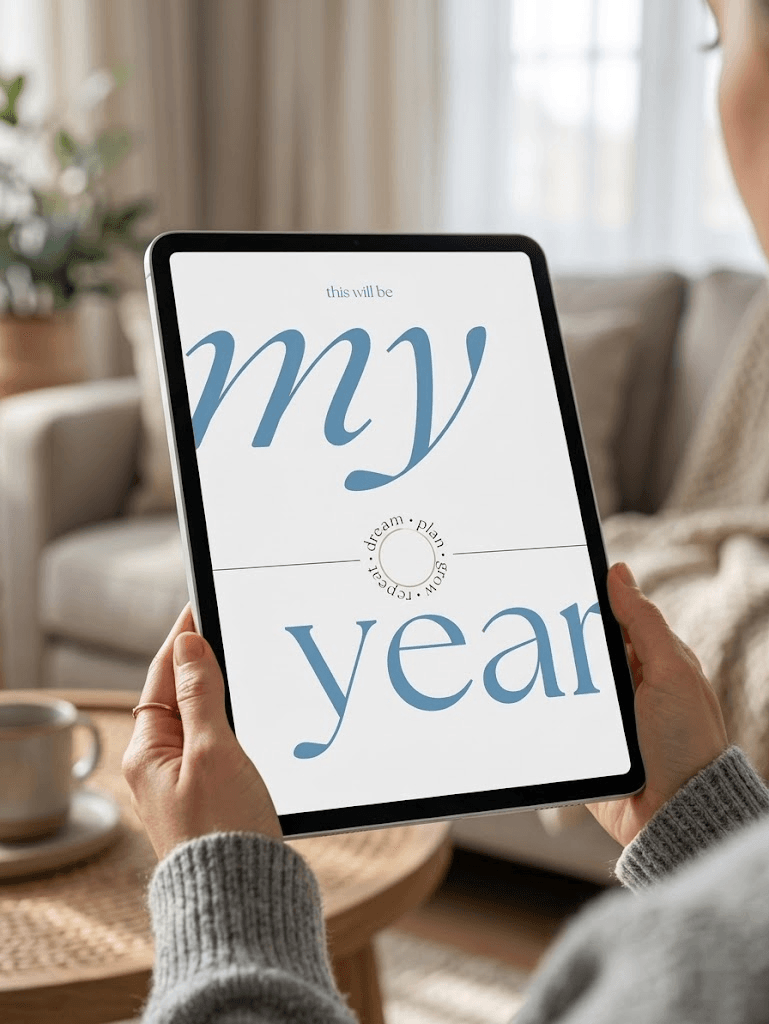
Create your own personalized hyperlinked digital planner for iPad — designed for GoodNotes 6, Notability, Xodo and other PDF annotation apps.
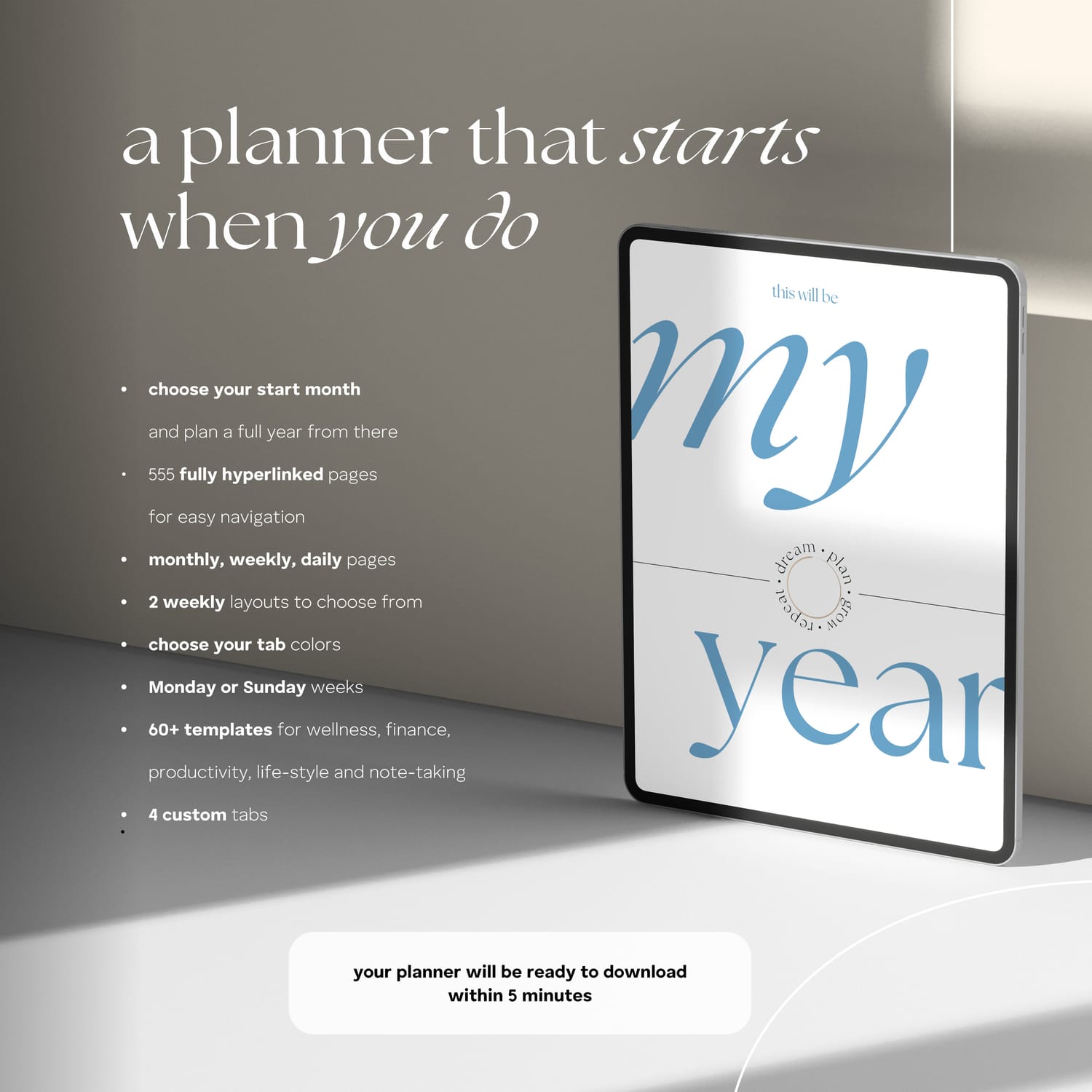
Choose your own start month and year, select Monday or Sunday week start, customize your tabs color, and instantly generate a complete 12-month digital planning system built around your chosen start date.
Your planner automatically begins on the very first day of your selected month and continues for a full year.
This is the evolved version of my signature hyperlinked planner design loved by thousands of digital planners users over the years — now fully customizable and generated individually for you.
$27
Who is it for?
Designed for people who want the structure of a dated planner without being locked into January starts or wasted unused months.
Perfect for iPad planners, students, professionals, entrepreneurs, busy parents, and anyone rebuilding routines, starting fresh, or organizing a new season of life.
Whether you plan in GoodNotes 6, Notability, or other PDF annotation apps, this planner adapts to your timeline — not the other way around.
$27
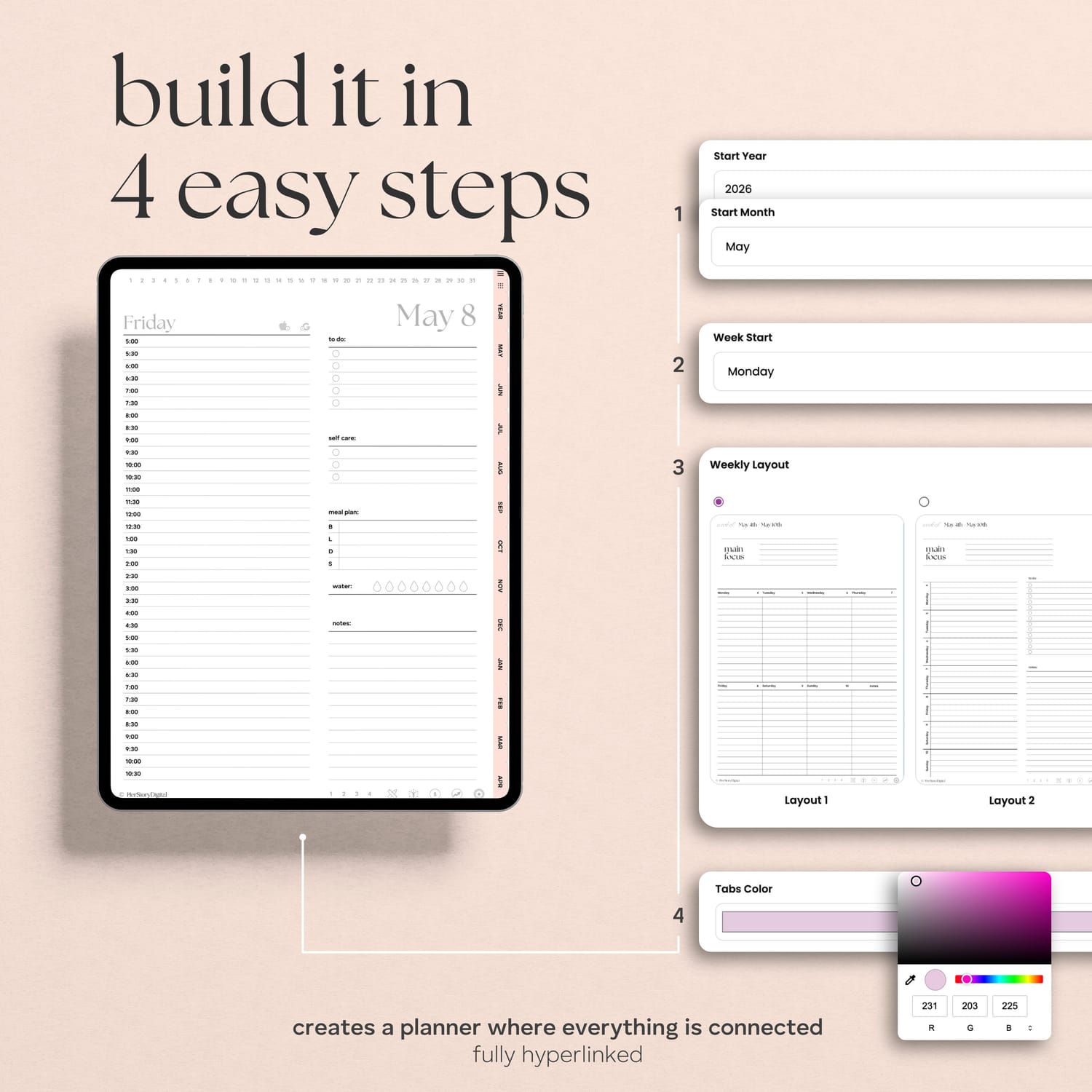
Build it in 4 easy steps
YOUR PLANNER WILL BE READY WITHIN 5 MINUTES
1
2
3
4



Choose the start month and year
Choose the start of the week
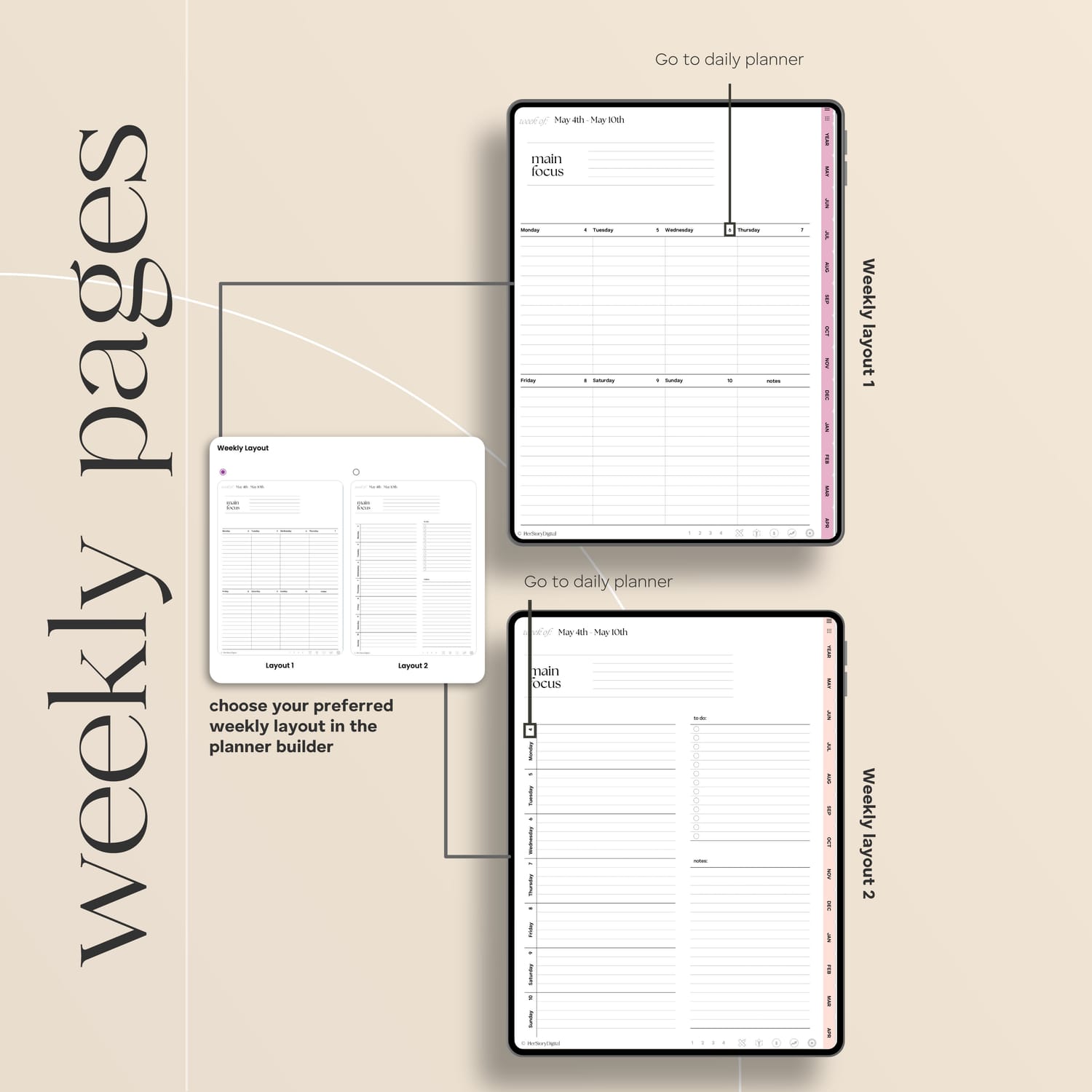
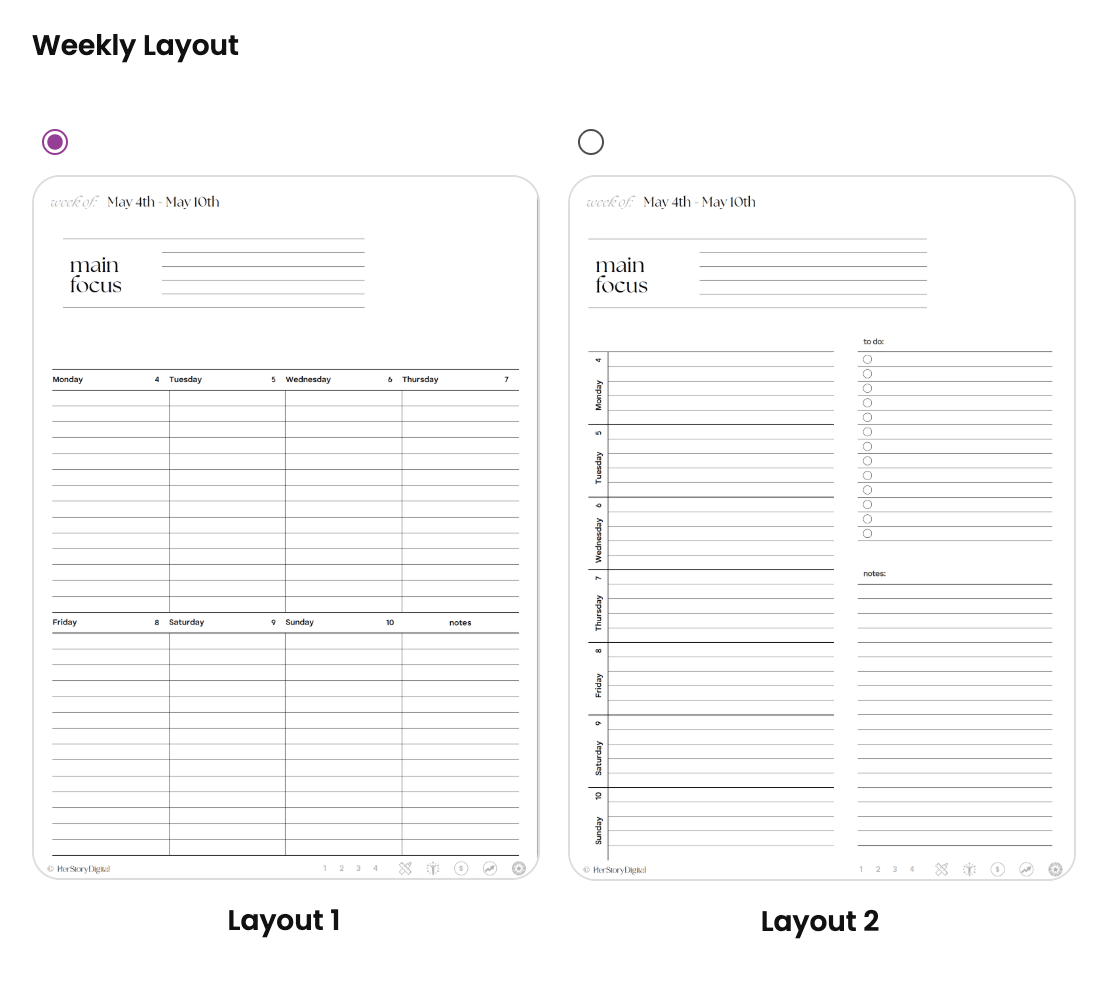
Choose your preferred weekly layout
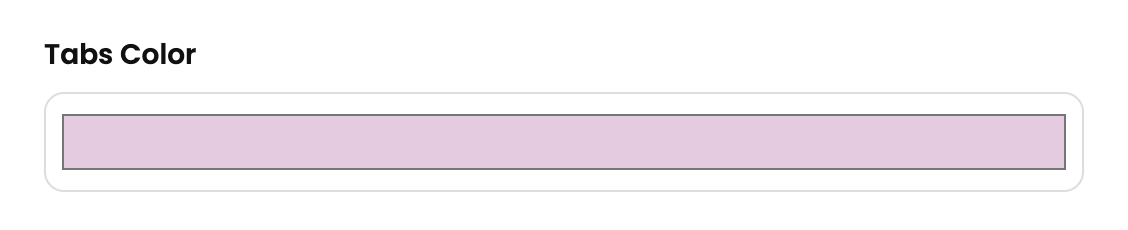
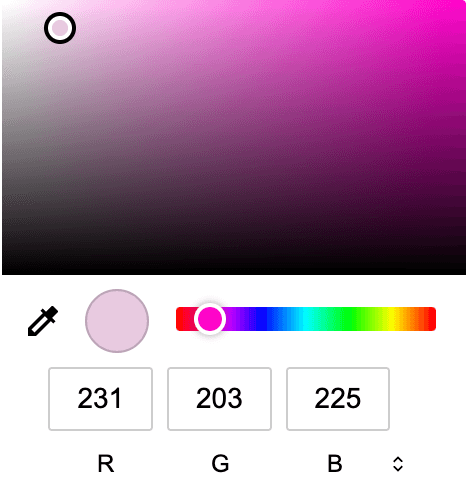
Choose the tabs color
$27
About the planner
FEATURES
Full 12-month planner generated from any start month you choose
Automatically starts from the 1st day of your selected month
Consistent color palette & decluttered design
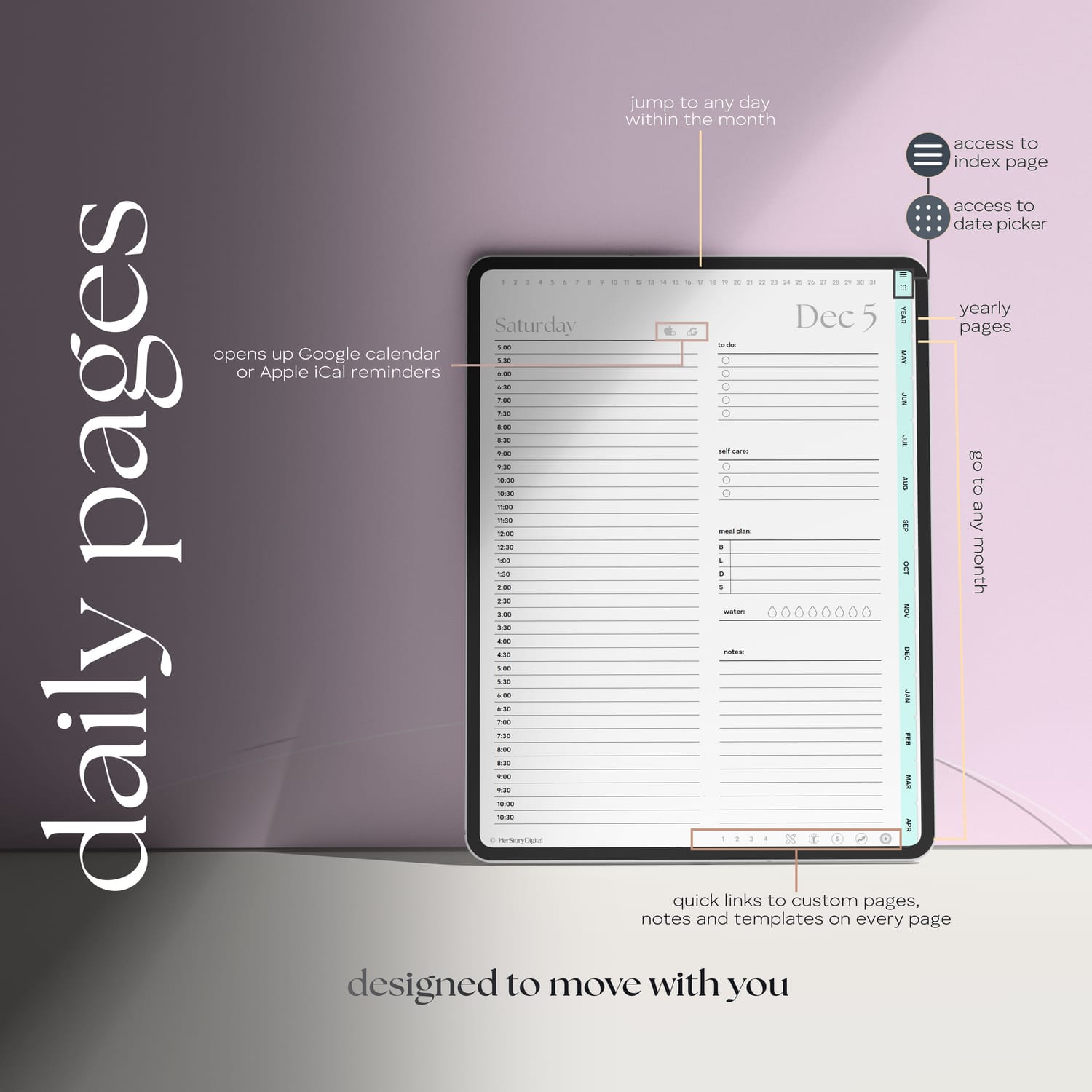
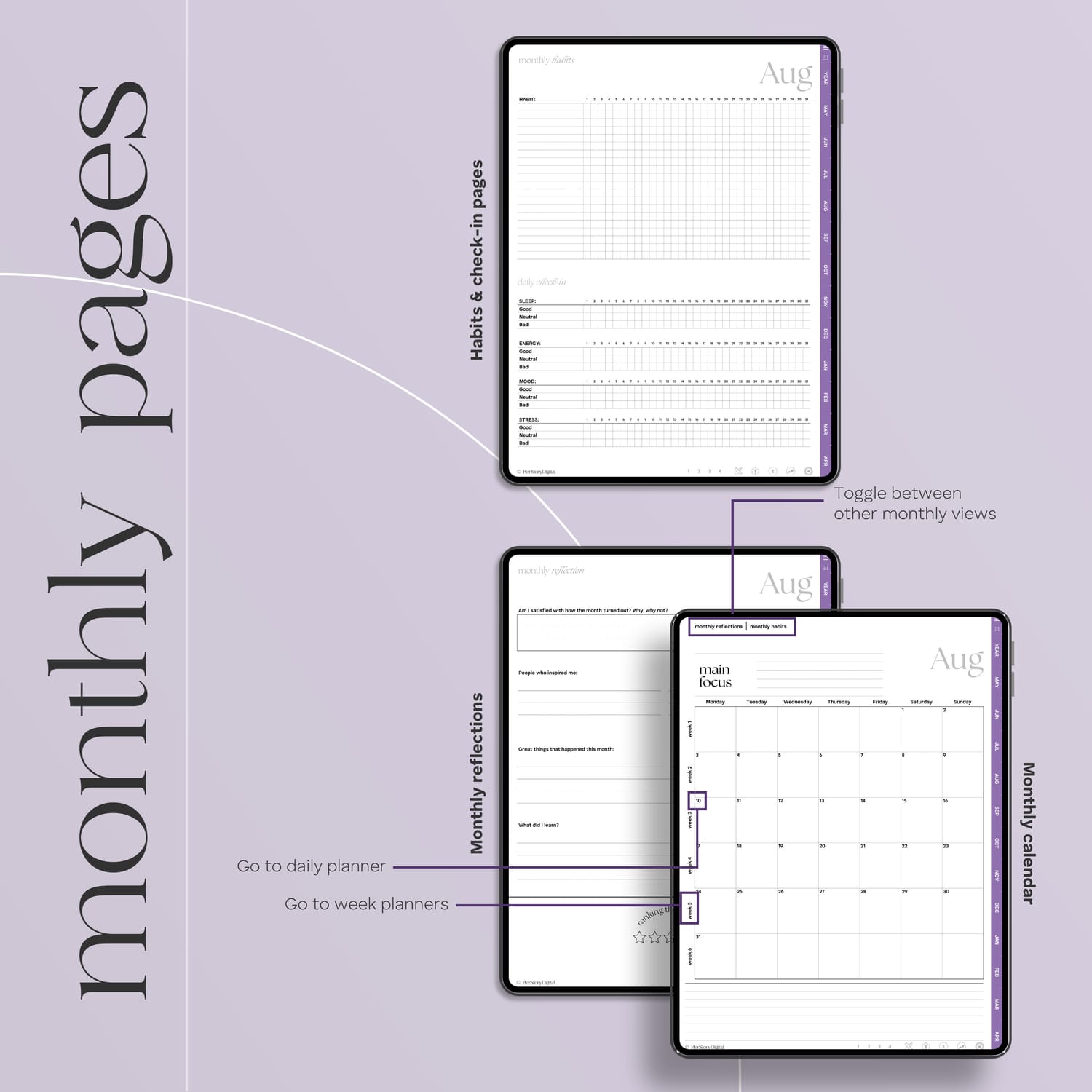
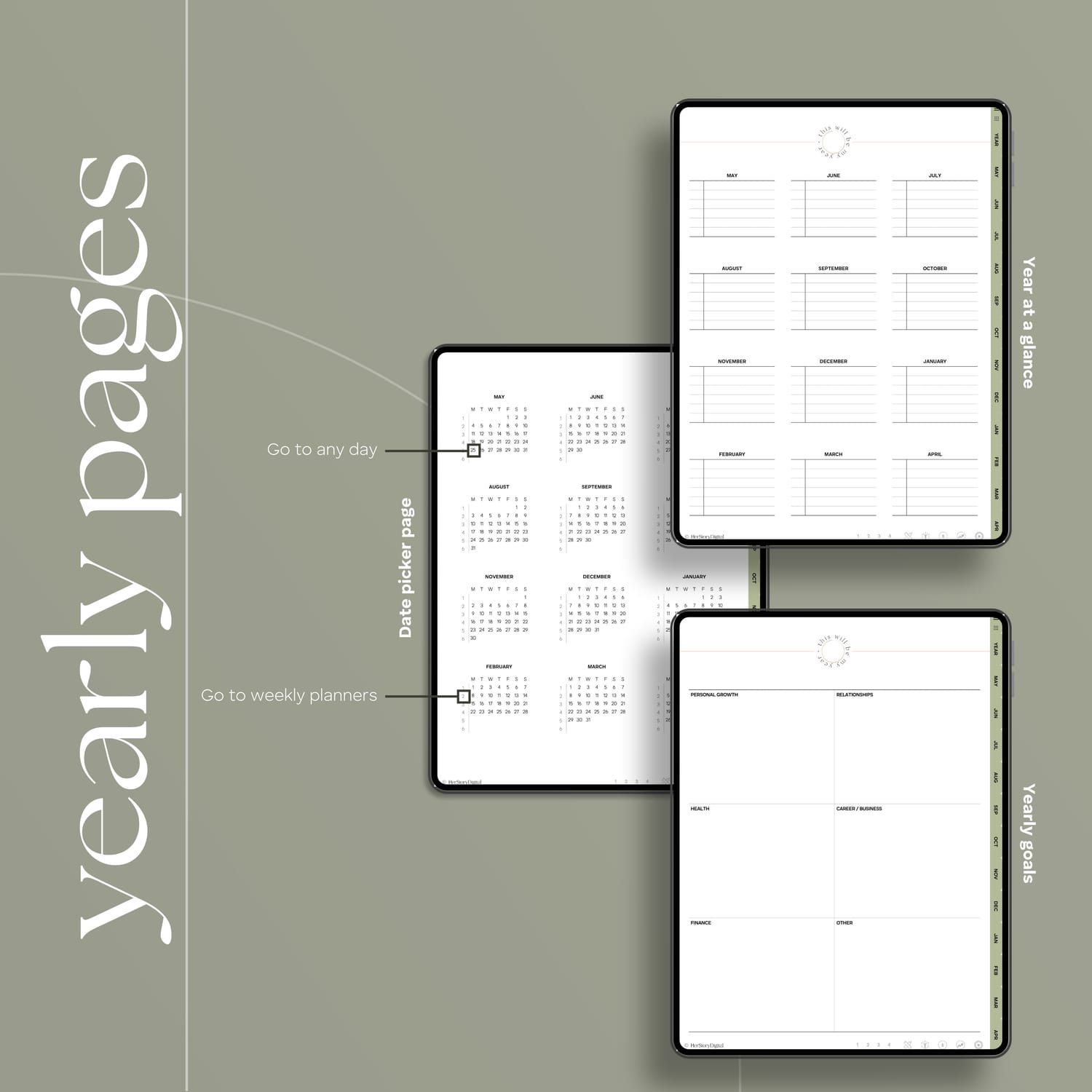
Monthly, Weekly and Daily pages
Links to daily Google calendar & iCalendar reminders
Logically placed hyperlinks for easy navigation
Sunday & Monday start
Monthly self-reflections & habit trackers
Simple Meal Planners on every Daily Page
4 custom pages and 6 note-taking layouts
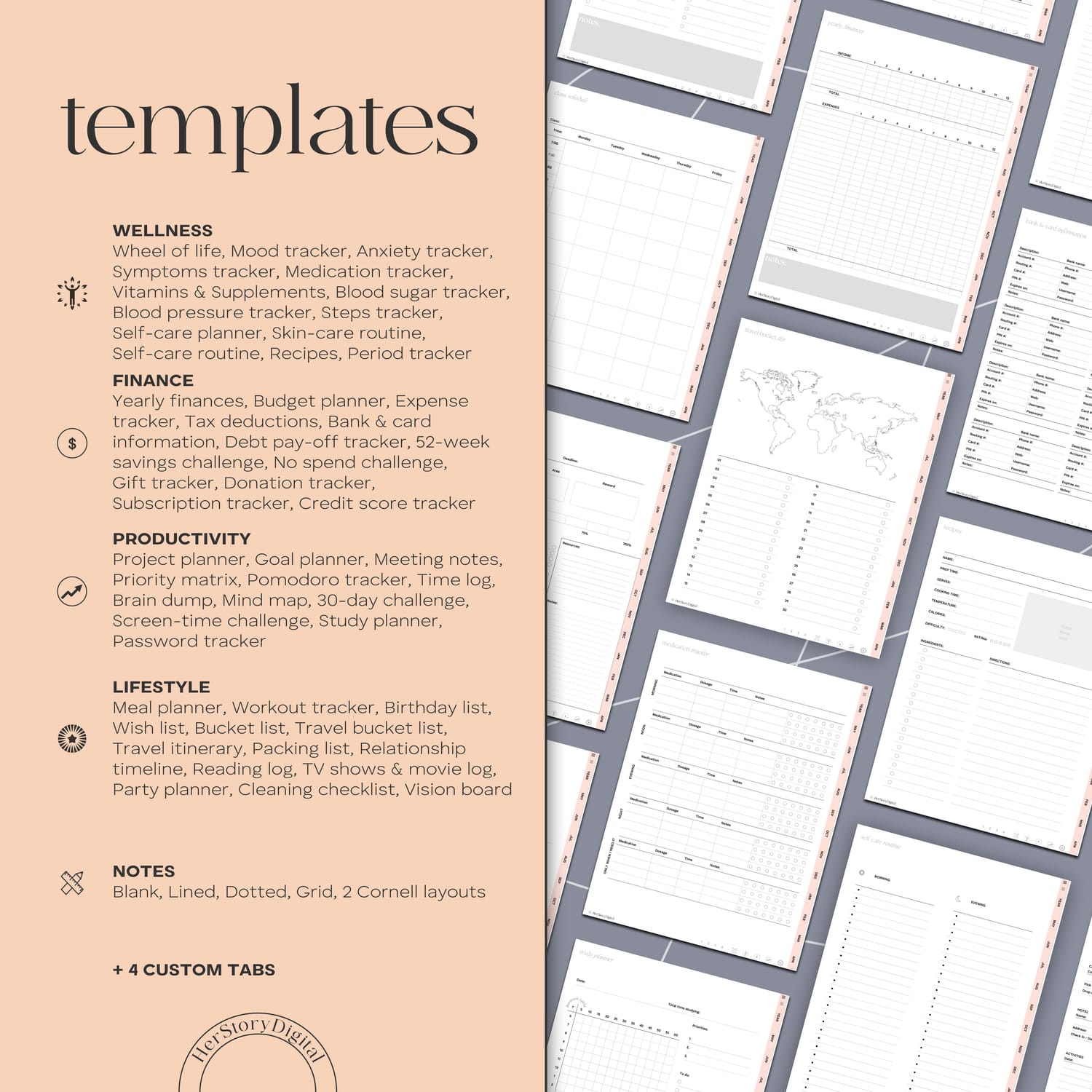
55+ templates for Wellness, Finance, Productivity, Lifestyle
Reference page with instructions
WHAT'S SPECIAL ABOUT IT?
This is not just another pre-dated planner locked to January. Your planner is generated individually for you — starting from the month and year you actually choose.
Carefully refined and tested through years of real customer feedback, this planner combines clean aesthetics with thoughtful functionality designed to make digital planning feel intuitive, and easy to maintain long-term.
Every hyperlink is intentionally placed to create fast, seamless navigation across your entire planner experience. The layout is designed to help you stay organized without visual overwhelm — balancing productivity, structure, and mental clarity in one cohesive system.
$27
Planning & tracking templates
WELLNESS
FINANCE
PRODUCTIVITY
LIFESTYLE
Wheel of life
Mood tracker
Anxiety tracker
Symptoms tracker
Medication tracker
Vitamins & Supplements
Blood sugar tracker
Blood pressure tracker
Steps tracker
Self-care planner
Skin-care routine
Self-care routine
Recipes
Period tracker
Yearly finances
Expense tracker
Tax deductions
Bank & card information
Debt pay-off tracker
52-week savings challenge
No spend challenge
Gift tracker
Donation tracker
Subscription tracker
Credit score tracker
Project planner
Goal planner
Meeting notes
Priority matrix
Pomodoro tracker
Time log
Brain dump
Mind map
30-day challenge
Screen-time challenge
Study planner
Password tracker
Daily to do list
Priority to do list
Assignment tracker
Class schedule
Outfit planner
Workout tracker
Birthday list
Wish list
Bucket list
Travel bucket list
Travel itinerary
Packing list
Relationship timeline
Reading log
TV shows & movie log
Party planner
Cleaning checklist
Vision board
Manifestation planner
Intermittent fasting tracker
$27
$27
How you receive the planner
Add the planner into your cart by clicking on the 'Buy' button
Proceed to pay for your order
Once your payment has been processed, you will be redirected to the generator page
Once your planner has been generated, it will be downloaded automatically through your browser
Upload the planner to your preferred app (like GoodNotes for Apple devices or Samsung Notes, Xodo, Penly...)
Remeber in most PDF annotating apps you need to toggle the browse / edit icon (that can be a pen, book, hand) to be bale to click the hyperlinks
All done! Happy planning :)
$27
These planners are in PDF format and you can think of them as a digital version of your physical planner. You can flip through the pages using the hyperlinks. My planners are intertwined with thousands of them so you never have to scroll through pages forever. I like to test their functionality as well before launching them.
Once your payment is processed, you will be redirected to the download page. THere will you will download the version of the planner you prefer (Monday or Sunday start - or both) as well as the folder with stickers (pre-cropped PNGs). The planners and the stickers come in a zipped folder so you need to decompress them before use.
Unzipping - decompressing the files is pretty easy on both iPads and Android tablets. Locate the zip folder and simply double tap on it (or right click and select unzip / decompress).
Most people purchase these planners for their iPads or other tablets. While you can use the planner on a laptop or a cellphone, they're best experienced on an iPad or tablet. A stylus is handy if you own one. You will also need a PDF annotating app like GoodNotes (Apple), Samsung Notes (native Samsung app) or Xodo, Notability, Penly...
In most apps like GoodNotes and Samsung Notes you have to toggle between edit and browse (read only) mode.
In edit mode you can write, type, draw, insert images, stickers... but the hyperlinks are disabled.
In browse mode you can click on the hyperlinks but editing is disabled.
You toggle the 2 modes clicking/tapping on the pen icon 🖊️ (book 📖, hand 👆🏽... depending on the app).
The planners are identical except for 1 element and that is the aspect ratio. Android tablets tend to be longer on the side than iPads, therefore the size of the planner is adjusted to 16:10 aspect ratio. Now that is not to say that all Android tablets are 16:10 - always check your device before making a purchase.
In simple words, both types of planners will work on either one of the devices, it all comes down to which one will fill up your device's screen.
In fact, yes. When you subscribe to my newsletter, you will get a free monthly planner with hyperlinks. This way you can try for yourself what it is like to work with a digital planner before committing to a purchase.
Digital stickers are basically pre-cropped PNG images. You can insert them anywhere in the planner making it truly yours and unique. The best part is you will never run out of your favorite stickers.
You're welcome to watch videos that I add to my YouTube channel or feel free to contact me at herstorydigital@terezamedina.com


ABOUT ME
Hi, I'm Tereza!
I'm a big time nerd but also an avid admirer of all things beautiful. Creating digital planners allows me to tap into both worlds. This is where I thrive! Let me pass the products of this passion to you :)